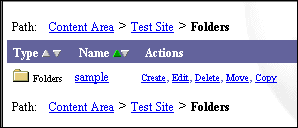
Folders are the basic building blocks of an Oracle Portal content area. All content areas consist of folders, each of which holds the folder's contents or collection of related items. The folder area is where a folder's content items are displayed. Folders in Oracle Portal are very similar to folders in a file system and are structured hierarchically.
Every content area has a home page which is the first page displayed when accessing the content area. A content area home page is actually the content area's root folder. Folders created below this are the parent folders (level 1); folders beneath parent folders are sub-folders (level 2). From the Style Manager > Folder Layout > Edit Region page, you can choose how many sub-folder levels, up to two levels, to display in the sub-folder region.
The main purpose of folders is to organize and cross-reference your items in such a way that it is easy for your end users to find what they are looking for. Dividing your content area into folders allows you to organize your content area logically by related content. Examine the top two levels of your folder structure. These folders are the folders that are initially displayed on the content area's home page. Are the folders distinct enough from one another? Make sure that the folders at the top of the folder hierarchy do not have names that are easily confused with one another. Although you can create as many levels of folders and sub-folders as you want, we recommended that you keep the number of levels to a minimum to reduce the time it takes users to find the information they need.
The most common folder type is the container folder which holds items of various types including files, text, documents, images, application components, and so on. However, folders can also contain predefined searches, PL/SQL code, and other Web pages (URL).
You can have folders displayed with other Oracle Portal elements including:
-
A navigation bar, from which you can navigate to other folders and areas of the content area.
-
Banners which contain information about the folder and help to separate item groupings below banner headings such as category banners or folder region banners. Styles for banners are configured in the Style Manager.
Applying security to folders
Since most security is applied at the folder level, it makes sense to structure folders according to those who will be maintaining and accessing the content. Any user who can access the content area is able to view the contents of public folders. However, Oracle Portal offers another level of folder security. Folder security is determined by the content area administrator or folder owner who can restrict access of a given folder to specific authorized users and/or groups. Folder access privileges include Own, View Content, Manage Items, Create With Approval, and Edit Style (applying another style to the folder). As a content area administrator, you can grant authorized users/groups the ability to add content to a folder themselves, thus removing the typical bottleneck associated with content maintenance.
Also, once folder security is configured on the parent fodler, you can easily grant the same folder access privileges to sub-folders. For more information about folder access privileges, see Granting access privileges to your folder and Cascading all folder privileges.
Notes:
-
If you want all logged on users to view your folder contents without restriction, make sure to display the folder to public users.
-
If you want to restrict access to a particular item(s) in a folder to specific users and/or groups, you can enable item level security. For more information, see What is item level security? and Granting access privileges to your item.
Extending folder types
You can also extend the basic folder types by creating folder attributes to permit search and group by functionality across mulitple types of content, store additional information about folders, or pass information to procedures. For more information, see Adding attributes to a folder type.
Actions you can perform on folders
You can perform several actions on a folder including View the Contents, Create, Edit, Copy, and Delete. These actions can performed by clicking the appropriate link next to the folder in the Navigator.