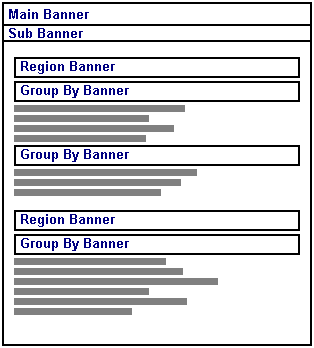
A folder can contain up to four different types of banner:
|
|
Banner |
Description |
|
Main banner |
Appears at the top of the page and contains the folder or banner image. |
|
|
Sub banner |
Appears immediately below the Main banner. The Sub banner usually contains the folder description and the date on which the folder was last updated. |
|
|
Region banner |
Appears at the top of each folder region in the folder area. |
|
|
Group By banner |
Appears above each group of items in a region. Items can be grouped many different ways, including by category, or by author. |
Note: You can choose to suppress (not display) any folder banner by entering "0" pixels for the appropriate banner height. For more information, see Removing banners from displaying in the folder area.