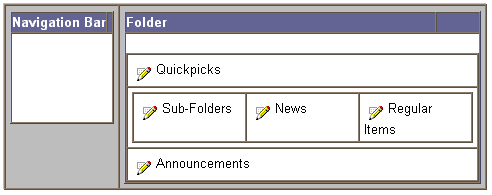
Oracle Portal supplies five default folder layouts that define how the different regions of the folder can be arranged. The folder region layout determines the overall flow of items and sub-folders. However, modifications to the region layout and properties will not affect the navigation bar or folder banner. The more the folder region properties are customized, the more you can extensively customize the appearance of any folder. Folder regions enable a high level of customization permitting the movement of items between folder regions.
By default, a style administrator or content area administrator determines which one of the default layouts is applied to the style. For each folder region, you can set the number of columns and rows, how items are sorted, grouped, and ordered, and which item attributes appear beside the item.
Each folder layout is comprised of four regions where items can be added, and one region for displaying sub-folder links.
|
Content |
Definition |
|
Item |
Folder region contains items. |
|
Sub-folder |
Folder region displays sub-folder links. Notes:
|
Choosing the folder region in the Style Manager
If and how an attribute displays is determined by the display rules that apply to its folder region, which in turn is dependent on the style applied to the folder. The way the item is rendered depends on the region's properties set earlier by the style administrator which can be modified anytime. For example, when a style's folder layout is changed from "Layout 1" to "Layout 2", the region properties of "Layout 1" will be applied to the regions of "Layout 2" by default.
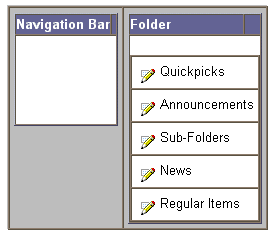
The regions are mapped in the order of their creation. The default region names are Quickpicks, Announcements, News, Regular Items, and Sub-folders. These region names can be changed to any name you want. See Choosing another folder region layout and Changing the style applied to your folder.
Choosing the folder region in the Item Wizard or Item Manager
Similarly, the item creator can choose to change the item's folder region anytime. See Changing an item's folder region.
Folder regions provide the item creator with greater control and flexibility since items can be precisely positioned according to where you want them to appear on the rendered page. When adding an item to a folder, contributors must select one of the folder regions in which to display the item.
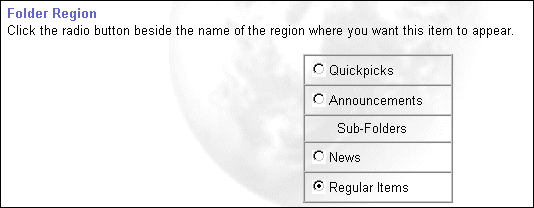
In the Item Wizard or Item Manager, the folder region properties are displayed similar to the following:
Notes:
-
The Folder Region field is a primary item attribute that appears on the Primary tab.
-
The folder region names; for example, Quickpicks, reflects the region names set in the Style Manager. If the default name is changed, then, the new name is shown in the Folder Region field as shown above.
The five folder region layouts are as follows:
|
Layout |
Region Layout Description And Diagram |
|
|
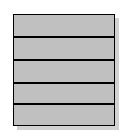
Layout regions in five rows. By default, all new folders (including the content area's default style) are assigned this folder layout.
|
|
|
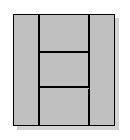
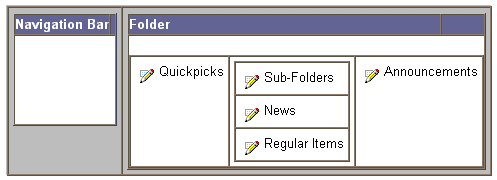
Layout regions in three columns, with the middle column divided into three rows.
|
|
|
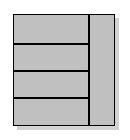
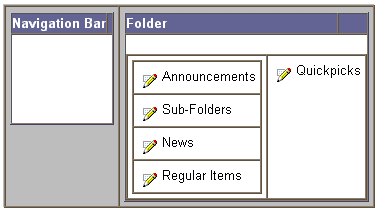
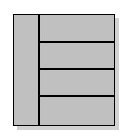
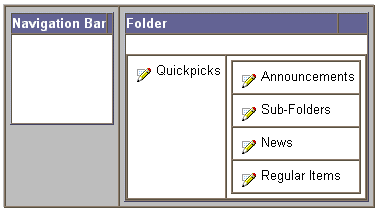
Layout regions in two columns, with the first column divided into four rows.
|
|
|
Layout regions in two columns, with the first column divided into four rows.
|
|
|
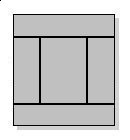
Layout regions in three rows, with the middle row divided into three columns.
|