A page style controls the colors and fonts used to render the page and all the portlets displayed within it.
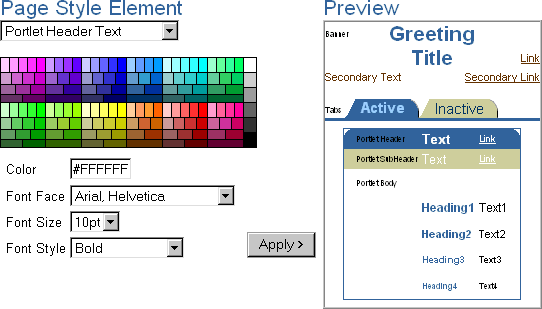
Page styles can be shared by more than one page. As long as a style is considered Public--or you created the style--you can apply it to your own pages, or use it as a basis to create your own style by modifying certain elements. In this sample, the colors and fonts for the portlet header text--that is, the title of the portlet--are specified:
Unlike layouts, which are unique to each page, page styles can affect many pages at once. This means that you can change a stylistic aspect of many pages just by changing the style to which the pages adhere (assuming that you are the owner of the style). If you delete a page style, the pages that use it revert to the system default style.