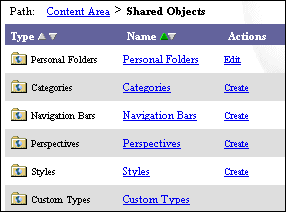
Before you are able to access your personal folder, the portal adminstrator must have created one for you.
|
Personal folders are very useful and flexible and provide an area within Oracle Portal that authorized users can store and share personal content items. As the owner of your personal folder, you can perform almost any folder-related task. For more information, see Editing a folder. For example, you can keep files, links, and other items for your personal use or choose to share this information by displaying your personal folder to public users. Or, you can choose to share the contents of your personal folder to authorized users or groups only. If your personal folder contains both private and public content, you can create sub-folders to secure private content and choose not to display these sub-folders in the folder area. |
|
|
Before you are able to access your personal folder, the portal adminstrator must have created one for you. |
|
|
To access your personal folder: |
|
|
Notes |
|
 Shared Objects type, click the Shared Objects link.