|
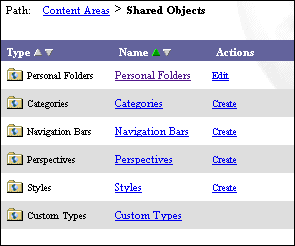
Oracle Portal lets users create an object that can be shared between
content areas. These objects include personal folders, shared
categories, shared navigation bars, shared perspectives, shared
styles, and shared custom types (shared attributes, shared item
types, and shared folder types) which are stored in the Shared
Objects content area.
Furthermore, all the base item types and folder types are contained
in the Shared Objects content area. Each of these object types are
maintained in its corresponding object container; for example,
categories are contained in the Categories container.
Shared components enable better integration between content areas
while permitting customization at the content area level. Thus,
anytime you want to share a content area object across multiple
content areas, you might consider creating it in the Shared Objects
content area.
The difference between the Shared Objects content area and other
content areas are:
|
