|
Item Level Security (ILS) is a mechanism which allows controlled and
granular access to specific items in a given folder. ILS authorizes
item owners to grant explicit item access to user(s) and group(s) who
would otherwise not be authorized.
By default, items inherit folder level security which means that only
those users or groups who are authorized to access a given folder can
access items in that folder. If ILS is enabled
at the folder level, all items in the folder will initially use
the security applied to the folder. However, item owners can also
choose to grant explicit access on a given item to specific user(s)
and/or group(s). For example, a user granted the "View
Content" privilege at the folder level would be authorized to
edit the item if the item owner explicitly grants the "Manage
Items" or "Own Items" privileges at the item level.
Why is ILS useful?
ILS is useful in the following cases:
-
Explicitly grant access to a specific item to a user(s) or group(s)
who does not have any folder level privileges. This would grant them
access to the specific item(s), yet still restrict them from other
items in the folder.
-
Restrict access to specific items in a folder to users or groups that
have folder level privileges. However, content area administrators,
folder owners, and authorized users with the Manage Items privilege
(folder managers) have the highest level privilege on all items in
the folder. They cannot have their privilege superseded by an item
level privilege. For example, if a user has the "Manage
Items" privilege at the folder level but is not granted any item-level
privilege, this user is still authorized to manage the item regardless.
Item level privileges
The following table lists the possible actions you can perform on an
item given a user's item level privilege:
|
If you are granted this item privilege |
You can peform these actions on the specific item |
|
Own Item |
Edit the item, delete the item, add sub-items, grant privileges on
the item, and view the item.
Note: Only those users or groups with the Own Item
privilege is authorized to grant item-level access to other users and groups. |
|
Manage Item |
Edit the item, delete the item, add sub-items, and view the item. |
|
View Item |
View the item.
Note: The  Edit folder link may not be displayed at the top-right of the folder
page if the user does not have the Manage Items or higher
privilege at the folder level.
Edit folder link may not be displayed at the top-right of the folder
page if the user does not have the Manage Items or higher
privilege at the folder level. |
Note: Only users granted the Manage Items
or higher privilege at the folder level can add sub-items.
Steps to enable item level security
The following steps must be performed to enable item level security
on a specific item:
-
The folder owner or content area administer must enable
Item Level Security from the appropriate Folder Manager: Access
tab. Granting privileges on items is only available when ILS is
enabled on a given folder.
-
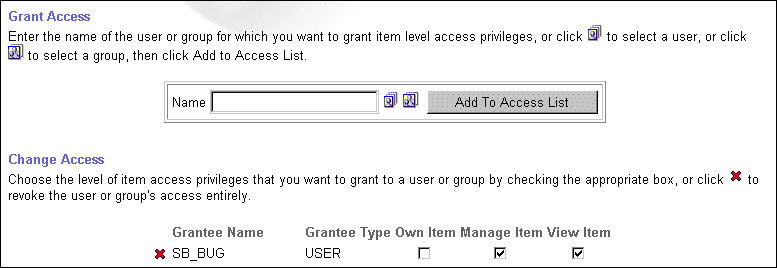
When Item Level Security is enabled on a folder, the Item Manager:
Access tab appears when you edit an item in that folder. The item
owner can choose between inheriting the parent folder's access
privileges or defining item level access privileges for the item.
-
If the latter is selected, the item owner is authorized to grant
access privileges to specific users and groups.
 |
