Creating applications

An application is a container for a group of related components.

To build a new application, you must have the CREATE ALL APPLICATIONS global privilege.

Note You have this privilege by default if you are a member of the DBA, PORTAL_ADMINISTRATORS, or PORTAL_DEVELOPERS groups.
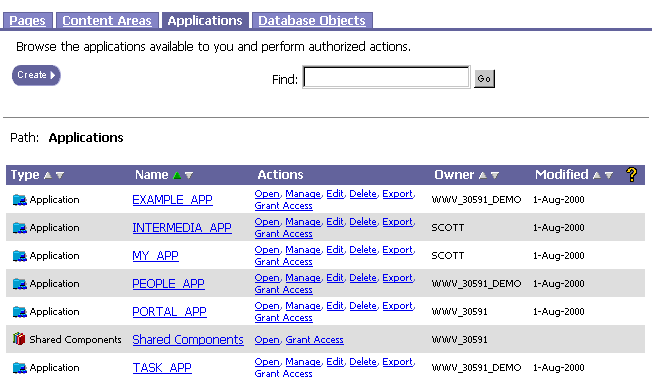
To build a new application:

  1. In the Portal Navigator, navigate to the list of applications.

  2. Click Create, then Application.

  3. In Application Name, enter an internal name that identifies the application to Oracle Portal and the Application Navigator.

  4. In Display Name, enter an external name that identifies the application to other Oracle Portal users.

  5. In Schema, choose the name of the database schema that will own the application. The application and all associated database objects owned by the application will be stored in this schema.

  6. Click OK. The Manage Application page displays.

  7. (optional) Click the Access tab to grant access privileges to other developers that enable them to build components in the application.

  8. (optional) If the database objects on which you plan to base you application are stored in a schema other than the application schema, you must grant the application schema access to these objects.

Note

  • Oracle Portal does not support the creation of forced views.

Related topics

Renaming applications