Deleting applications

Deleting an application deletes all components that comprise the application.

To delete an application, you must have

If your application is a portlet provider, you will also need:

  • PUBLISH ALL PROVIDERS global privileges.
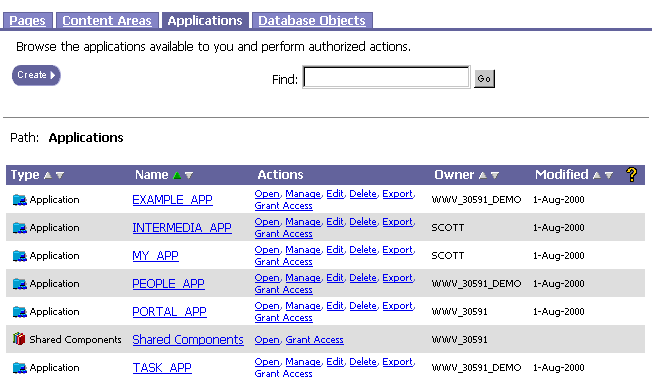
To delete an application:

  1.  In the Oracle Portal Navigator, navigate to the list of applications.

  2. In the Name column, scroll to the application you want to delete.

  3. Click Delete in the Actions column next to the application. A message asks you to confirm that you want to delete the application. If you click Yes, you will not be able to recover the applications

  4. Click Yes to drop the application from the database. It no longer displays in the Navigator.