|
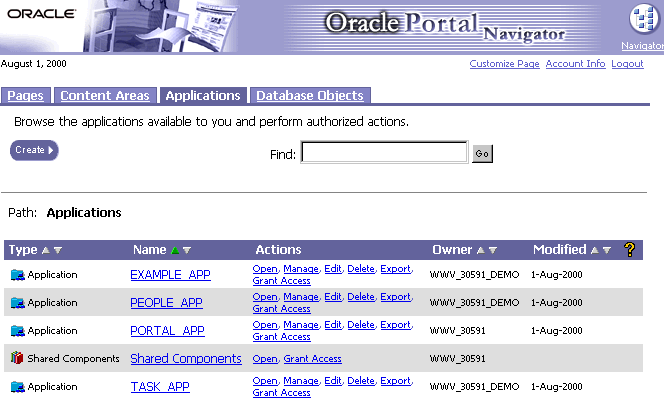
Application access privileges define the actions you can perform on an application and the components owned by it. By default, you are granted the highest level of access, Manage, on any application you create. With Manage privileges, not only can you perform actions on the application and create components within it, but you can grant access privileges to other Portal developers, and delete the application. The Action column of the Portal Application Navigator indicates the actions you can perform on the application.
Application- versus component-level privileges Application-level privileges potentially apply to all components in an application. Any component built in an application by default inherits privileges from the application. For example, after MY_CHART is created in MY_APP, Oracle Portal developers with Edit or higher access privileges on MY_APP can edit MY_CHART. Component-level privileges apply only to individual components within an application. Users with Manage application-level access can override these privileges and set access on a component level rather than the application level. Application-level access privileges and the actions you can perform with them are listed below. Application-level access privileges
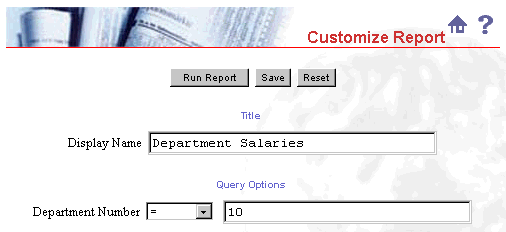
Development versus run-time privileges The above privileges can be divided into those that apply to application development or to run-time application deployment. MANAGE, EDIT, and VIEW privileges provide security for an application while it is being developed. Because MANAGE privileges provide the ability to do anything in an application, you'd typically grant it to one or more project leads with overall responsibility for planning and managing the development of the application. EDIT privileges typically are granted to developers who will be creating and updating the application's components. VIEW SOURCE privileges might be granted to other developers who need to know what the application's code looks like, but don't need to edit or add code. For example, you might grant this privilege to a shared component developer or a developer of another application who is creating a named link to a component in your application. CUSTOMIZE and RUN privileges provide access to the application after it has been created and deployed in a run-time environment such as an Oracle Portal content area. RUN enables a user to run any component in the application, You can restrict access to an application using CUSTOMIZE. For example, you may want provide some users with a restricted view of salary data, but allow other a wider view. You could include in your application a report that by default presents data for a particular department. All users with RUN privileges could see that data. Users with CUSTOMIZE privileges might customize the report to view data for that department or other departments.
|