Granting application access privileges

After you create an application, you can grant to other Oracle Portal developers or groups of developers access privileges on the application. Access enables developers to explore the contents of the application, build components in the application, and perform other actions.

To grant application-level access privileges you must have:

To grant access to an application:

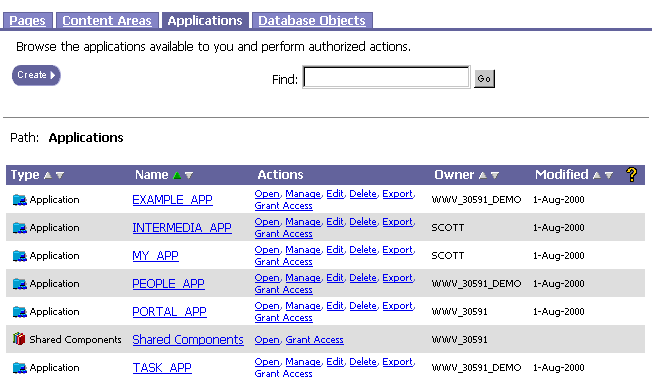
  1. In the Oracle Portal Navigator, navigate to the list of applications.

  2. In the Name column, scroll to the application.

  3. Click Grant Access in the Actions column next to the application.

  4. (optional) If you want to make this application and its components available to other Oracle Portal users who create or customize pages, select the Expose as Provider check box.

  5. In the Grantee field, enter the name of the user or group to whom you want to grant access. If you aren't sure of the name, click to display a list of users or to display a list of groups.

  6. In the Privilege list, choose the level of access you want to give to the user. For example, click Manage if you want to enable the user to perform all possible tasks on the application.

  7. Click Add. The user now displays in the list of grantees at the bottom of the page.

  8. Click OK.

To modify existing access to an application:

  1. Follow steps 1-9 above.

  2. In the Change Access: Grantee column, scroll to the name of the user or group whose access privileges you want to modify.

  3. In the Change Access: Privilege list, click a new level of access for the user or group.

  4. If you want to remove all access privileges, click next to the user or group.

  5. Click OK.

Related topics

  • What are component access privileges?