Approving an item

Contributors with the "Create With Approval" folder privilege are authorized to add items but the item must first be approved before it is available in View mode.

You must be logged on as a content area administrator or folder owner or an authorized user with the appropriate folder or item-level privileges.

To approve items awaiting approval:

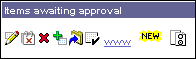
  1. When you log on to the content area and the Items awaiting approval banner is displayed, you must decide if you want the items published and available to other users in View mode.

  2. To approve the item, click ed-apr.gif next to to the item.

When a public or authorized user logs on, the approved item is displayed in View mode.

Note

  • If there are no items awaiting approval, this banner does not appear.

Related Topics

Granting access privileges to your item
Granting access privileges to your folder

What is an item?
Adding an item
Editing an item