Opening sample applications

Oracle Portal provides a set of sample applications and components. Instructions for building some of these applications are provided in the Oracle Portal 3.0 Casebook. Other examples are included to showcase Oracle Portal's robust application building features.

 You must have Run or higher application-level access privileges to view the sample applications.
To view a sample application:

  1. In the Oracle Portal Navigator, navigate to the list of applications.

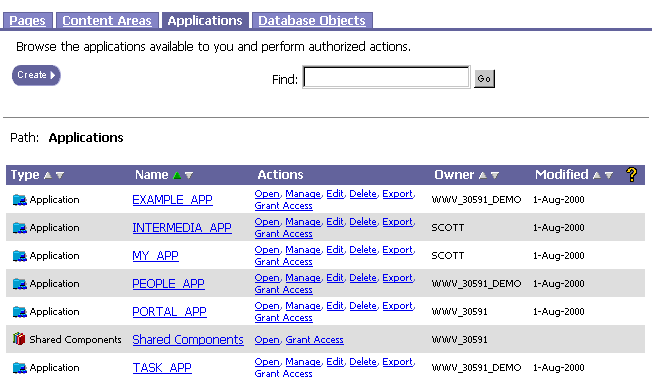
  2. After installation, Oracle Portal provides the list of applications shown below.

    • EXAMPLE_APP contains one sample component for each component type you can create in Portal.

    • PEOPLE_APP enables users to search for employees in the SCOTT.EMP table. The user can drill down to additional information about the employees and view the employee's position in an organization chart.

    • TASK_APP enables users to keep track of tasks.