Each content area must have a content area page. A content area page is a special type of page that establishes a common look and feel for every folder in a content area. A content area can have only one content area page. A content area page can contain as many regions and portlets as needed, in any configuration desired, but must always contain a Folder portlet that determines where the folder's content is displayed on the page.
When a content area is created, a basic content area page is also created for that content area. You can choose to keep this content area page, edit the basic content area page, or apply a completely different content area page.
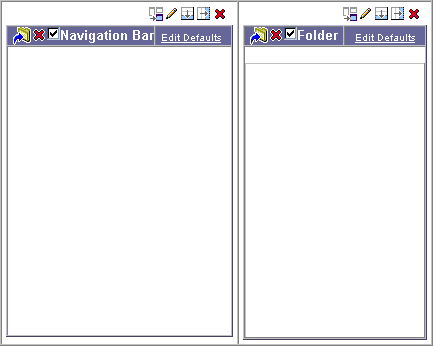
The following example shows a basic content area page, where there is a Navigation Bar portlet in a region on the left of the page, and a Folder portlet on the right of the page. Every folder in a content area that uses this content area page will appear with its navigation bar on the left and its content on the right.
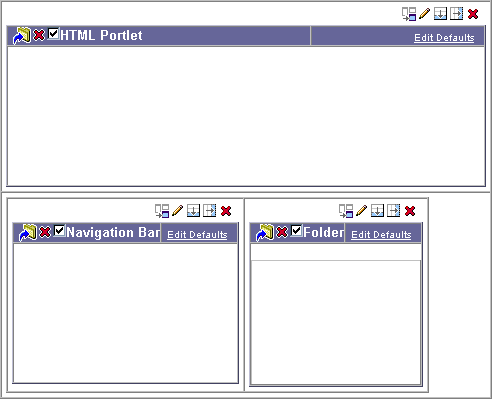
Content area pages provide the ability to have a common element appear on every folder, without having to add the element to each and every folder individually. For example, you might have corporate banner that you want to display at the top of every folder. However, you do not want to have to edit each folder individually to add that banner. Instead, you can add the banner as an HTML portlet to the content area page, as shown in the example below.
Or, you could provide a standard corporate navigation bar in every folder, as well as the folder-specific navigation bar, as shown in the following example:
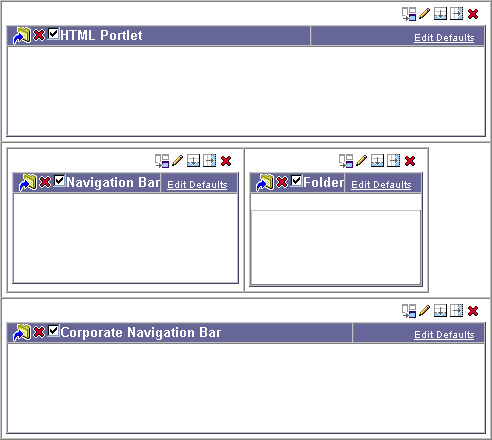
In the above example, for each folder, the Navigation Bar portlet contains the navigation bar that has been applied to that folder, which may be different from folder to folder. The Corporate Navigation Bar portlet contains a specific navigation bar, which will be the same for every folder.